Git integration for Pybricks Code, built for team workflows
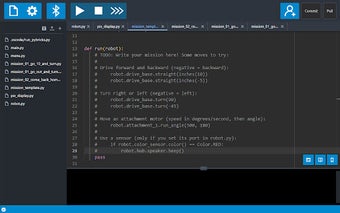
Pybricks Git, developed by Lansing Tech Studio, integrates Git version control into the Pybricks Code web editor to add remote project management and history. The extension lets users push and pull MicroPython and block-based project files to GitHub repositories while recording commits for review. Key capabilities include repository sync, script transfer, and repository-based backups. It targets LEGO robotics students, educators, and team competitors who need collaborative source control and stable off-device archives.
How the extension brings repository workflows into classroom coding
By connecting the code editor to remote repositories, the extension replaces ephemeral browser storage with tracked project history. That transition supports repeatable development steps and accountability during team work. Actions supported inside the editor include a set of repository operations integrated into the UI, for example:
- commit snapshots to record changes
- push local work to a remote repository
- pull teammates' updates into your project
Who benefits from adding Git to Pybricks projects
Classroom groups, robotics clubs, and competitive teams gain the most from remote versioning because it enables distributed collaboration and preserves a change log across devices. The tool is described as useful for educational robotics teams that need to coordinate code edits and maintain a shared history. Using repositories also creates an auditable record for instructors and mentors overseeing student projects.
What the extension requires from school machines and admins
The extension runs inside Chrome and other Chromium-based browsers, so administrators do not need to install a separate Git client on each machine. That browser-hosted model reduces setup steps on lab computers and Chromebooks. Because it is an add-on, resource demands stay within the browser process rather than introducing background Git daemons on classroom devices.
How it fits the Pybricks ecosystem and known limits
The tool is tailored to the Pybricks development flow and handles both MicroPython scripts and block-based project files, aligning with the editor's file model. It is community-developed by Lansing Tech Studio rather than an official LEGO product, and the extension is noted as a niche utility within Pybricks and competitive robotics circles. Adopting it presumes teams are ready to work with repository-based workflows.
A practical choice for teams ready to adopt version control
For groups that already use or plan to learn distributed source control, this extension delivers a straightforward path from single-computer editing to repository-backed development. Establish a simple commit and branch naming convention before sharing repositories to reduce merge friction. Pybricks Git is a practical option for teams seeking reliable archival and collaborative workflows; it favors organised, repository-minded groups over casual, single-device tinkering.